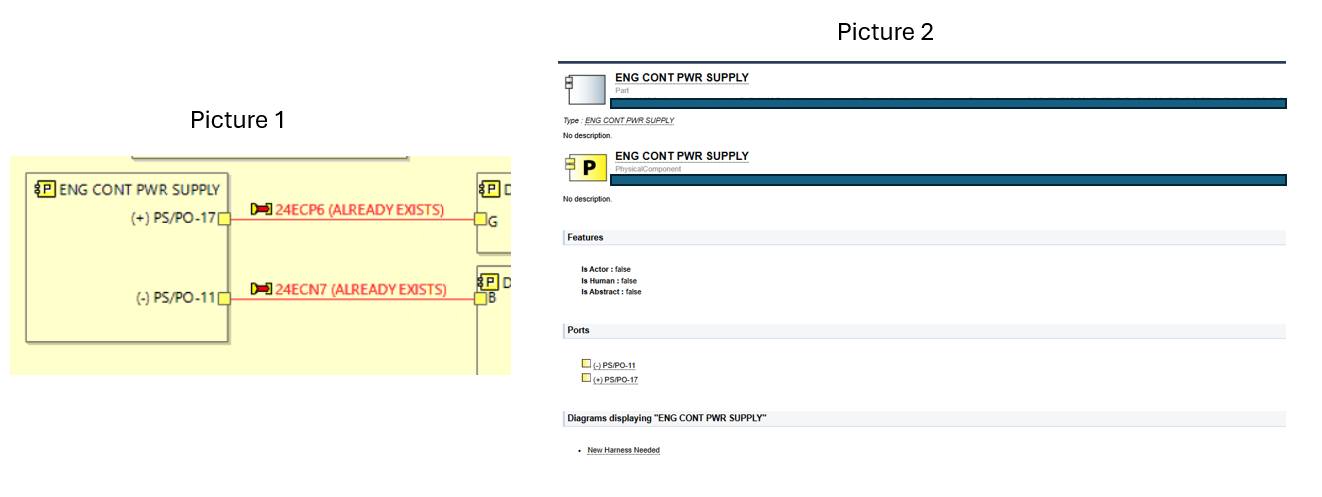
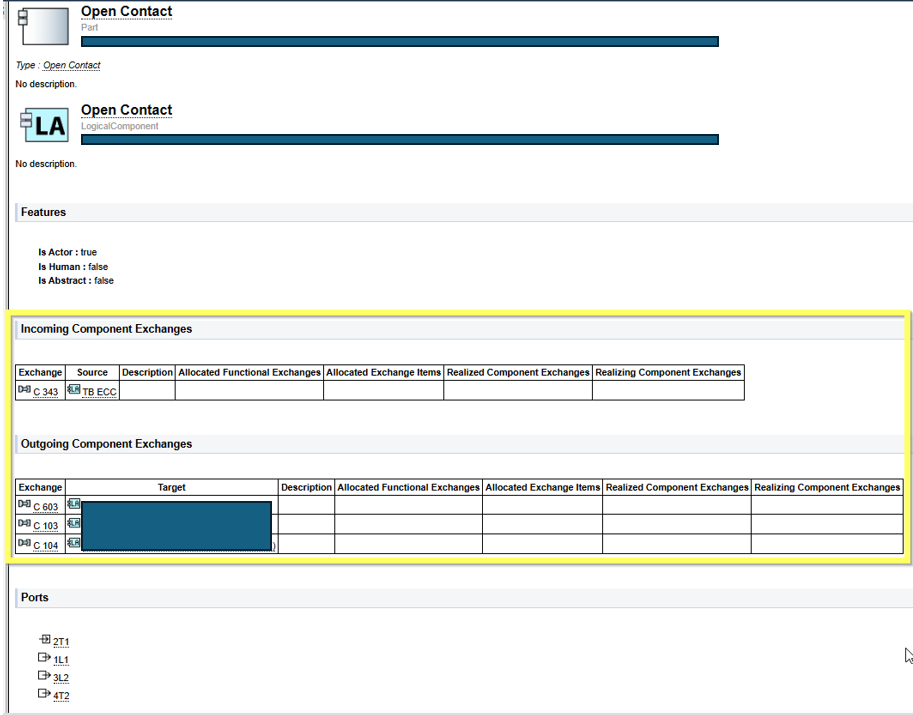
I’m used to use component exchange to create connections between blocks and they are very useful because you can see the Outgoing and Incoming Connections to your block in the HTML file. However, this does not appear for Physical Links, it only shows the Physical port and that’s it, no information about the path.
Do you know if there is a way for his physical connections to show in the HTML? Because Im willing to send the HTML file to be used as cable routing reference, but the physical connection doesnt show me all information necessary.
Hello team, re-opening this issue because I could not solve the problem. I’m willing to visualize the physical connections (on Physical Architecture) when clicking on a specific physical component. This information is really important to show… I don’t know why, but in Logical Architecture the information is provided.