I am using Capella V7.
In the logical analysis layer I have two several LAB diagrams, one I used for functional allocation and the other I don’t display the allocated functions but I use it to check all the components and interfaces between components (using components exchanges).
I pressed something on one diagram and all the component exchange ports are now showing an exclamation mark with an error that the component port is not realized by any other component port.
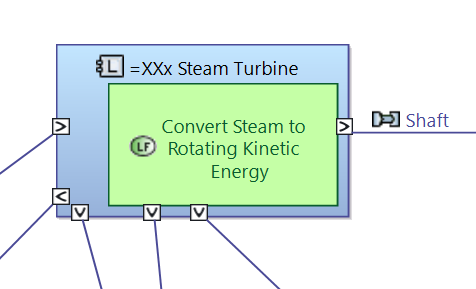
But in another LAB diagram also in the logical analysis layer, the same component exchange is unaffected without any errors. I saved all, refreshed all diagrams, closed and reopened, nothing seems able to fix this. Reattaching each component exchange manually works but there are a lot and I hope there is a better solution.
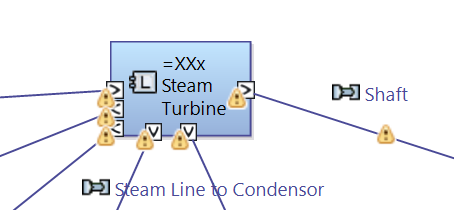
You did a “Validate diagram” on the diagram.
Go to the “Information” tab and do a “Clear view contents”
Thanks! Solved this issue.