This usually solve the issue:
- close Capella
- Go in the folder where you installed Capella
- then go under\plugins\org.eclipse.nebula.widgets.richtext_1.2.0.201711021145\org\eclipse\nebula\widgets\richtext\resources\
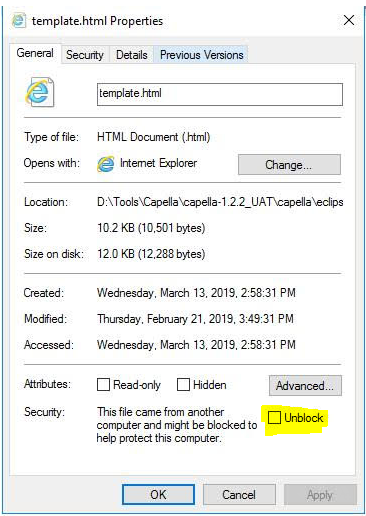
- right-click on the file template.html and display its properties
- select the “unblock” tick box at the bottom of the popup and click ok (see image below)
- Launch Capella
Stephane Lacrampe
Obeo Canada