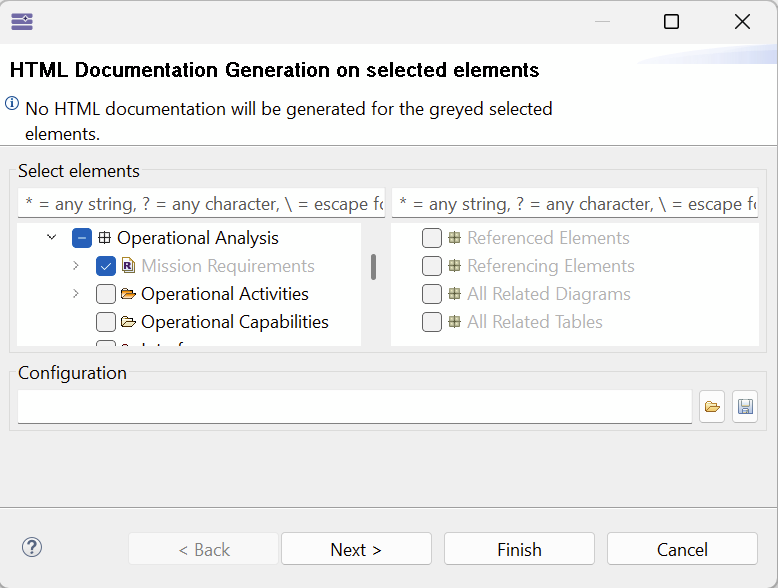
I am trying to have my requirements that I imported using requirement viewpoint part of the generated HTML document. The rest of the project tree is printed correctly with the diagrams but no requirements in sight. When I try to generate HTML file with selected elements only and I want to add the requirements, it is greyed out and it alerts me that it will be ignored by the html generator.
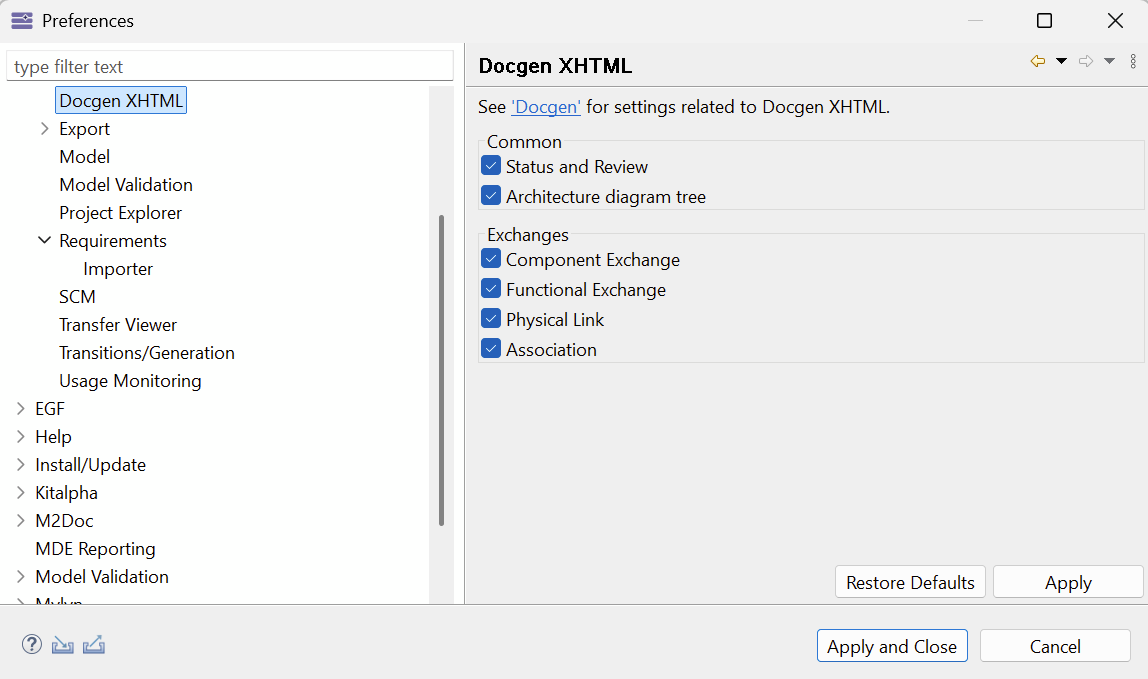
I am using Capella 7, requirement viewpoint 0.14.0 and xhtml doc-gen 7.0.1 add-ons setup using the dropins method described in the installation documentation. Requirement viewpoint is set as referenced for the project and the xhtml dog-gen preferences are as follows:
All viewpoint elements appear greyed out whereas they shouldn’t be.
This is purely an UI issue, you can still check those elements and generate its documentation.
I appreciate your quick response. I tested this again using Capella 7.0.0 instead of Capella 7.0.1 and xhtml doc-gen 7.0.0 instead of 7.0.1. I can confirm that for Capella 7.0.0. it is only a UI issue and that the requirements are generated correctly in the documentation.
Capella 7.0.0 + html dog-gen 7.0.0 → Just UI issue
Capella 7.0.1 + html dog-gen 7.0.1 → UI issue and requirements are not generated.