If the links are not working, this is because you need to do what’s explained in this specific post: Links on the Documentation tab - #3 by StephaneLacrampe doing this:
- You have to “Unblock” this file: capella\eclipse\plugins\org.eclipse.nebula.widgets.richtext_1.2.0…\org\eclipse\nebula\widgets\richtext\resources\template.html (see the image attached).
Let me know if it fixed your issue.
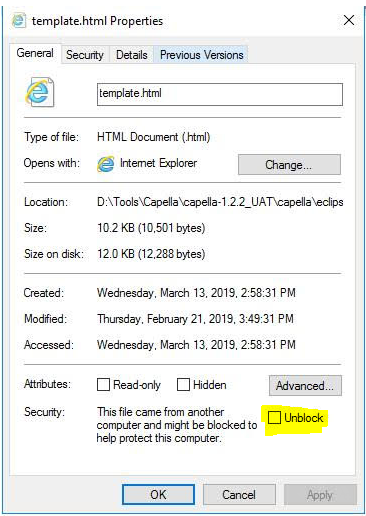
Once this is solved, you should be able to add to your documentation not only links to diagrams but also links to external files.
But then again, if your need is to change the behavior of the double-click, then it will probably require some custom development. You can contact us for that.
Stephane