Thanks everyone for taking the time to respond. I don’t profess to fully understand what is going on, but I have managed to make some progress and got to a point where I can reliably merge two overly simple models without corrupting it in any way. I’ve detailed the steps I took below in the hope it will help others. FYI, I only added elements and I only added them to new diagrams. I have yet to try removing elements, which by its nature will of course modify existing diagrams, or modifying elements.
My primary concerns with this approach to collaborative working are that for a real-world model where there will likely be many changes made between commits, the diff/merge will be quite onerous and complex as Samuel said and, more concerningly, fraught with danger as it seems all to easy to make a tiny mistake and corrupt the model by rendering the .aird file and .capella files out of sync. Of course with Git you can always revert back to previous versions, however, unless your well versed in doing so, I found this quite cumbersome as well.
Process Steps:
Warning - Always close the .aird file before switching branches!
Make changes to your local feature branch:
- Fetch the latest remote master branch
- Rebase your local feature branch onto the master branch to ensure you’re starting from the latest version of the model and push the rebased local feature branch to the remote repo
- Make any/all changes to your local feature branch model then commit and push the changes
Merge the changes into your local master branch:
- Close the .aird file
- Check out local master
- Right click local master → merge
- Select local feature branch to be merged into master
- Merge → Assuming there are merge conflicts, this should return a “result: conflict” warning
- Close any pop-up windows
- Right click the blue project folder → team → merge tool
- Finish
Resolve differences in the model_name folder (not the metadata folder or the model_name.aird folder)
- Add additional elements on the right to the left
- Ignore / remove additional elements on the left
- Resolve conflicts (to leave master as is, ignore changes on the right). There should now be no differences in the model_name folder
Resolve differences in the model_name.aird folder:
- Add additional diagrams (and all child-elements) from the right to the left
- Ignore / remove additional diagrams on the left
- There should now be no differences in the model_name.aird folder
Resolve differences in the metadata folder
- Ignore differences on the right at the folder level
Save, commit and push the changes to the remote repo
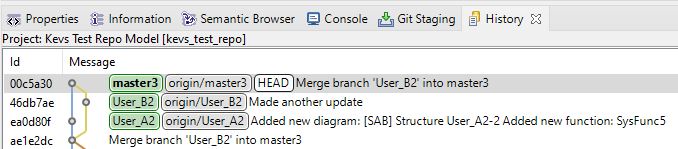
Confirm the merge in Capella git history (see attached image below)
Confirm the merge in remote repo