Hello,
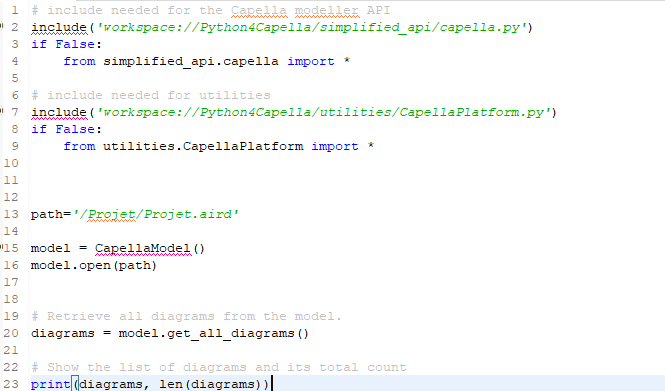
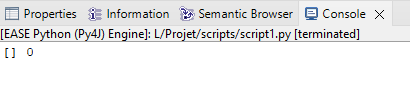
I’m using Capella 7.0 and have installed Python4Capella. Within a Capella project named “Projet”, I created a script in which I want to retrieve the list of all diagrams from my model. The problem is that every time I use the get_all_diagrams() function, Python returns an empty list.
I’ve already searched the forum a bit, and apparently I’m not the only one facing this issue, but I haven’t found a suitable solution to display the names of my diagrams.
I’m attaching my script along with the Python console output.
Could you help me with this?
Thank you in advance.
1 Like
There is indeed a problem with CapellaModel.get_all_diagrams(). I opened the following issue. You can probably replace the code of CapellaModel.get_all_diagrams() by the return statement in the issue to workaround this.
1 Like
Thanks for your response. I just replaced the code with what you suggested. The console does return a list with two elements, but it doesn’t display their names. Can this be fixed? I’m actually running some tests to be able to generate Excel files that include the names of the diagrams contained in a model.
1 Like
You can call get_name() on a Diagram to get its name:
for diag in model.get_all_diagrams():
    print(diag.get_name())
1 Like
Perfect, it works. Thank you!
1 Like