Hi All,
I am using requirements viewpoint <CapellaRequirements Feature Developer Resources 0.14.0.202407170938> with Capella <7.0.1>.
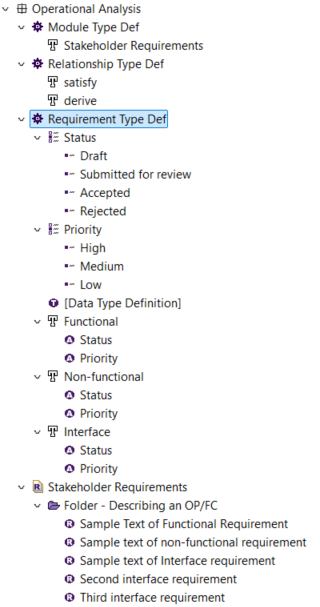
I created three requirement types: Functional, Non-functional & Interface.
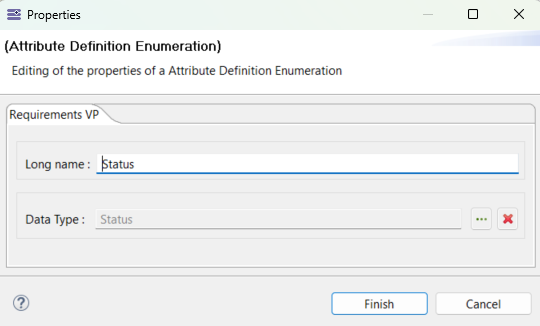
Each of the three requirement types have two attribute definition enumeration: Status & Priority. (They are all linked to their respective Enumeration Data Type Definition as well.)
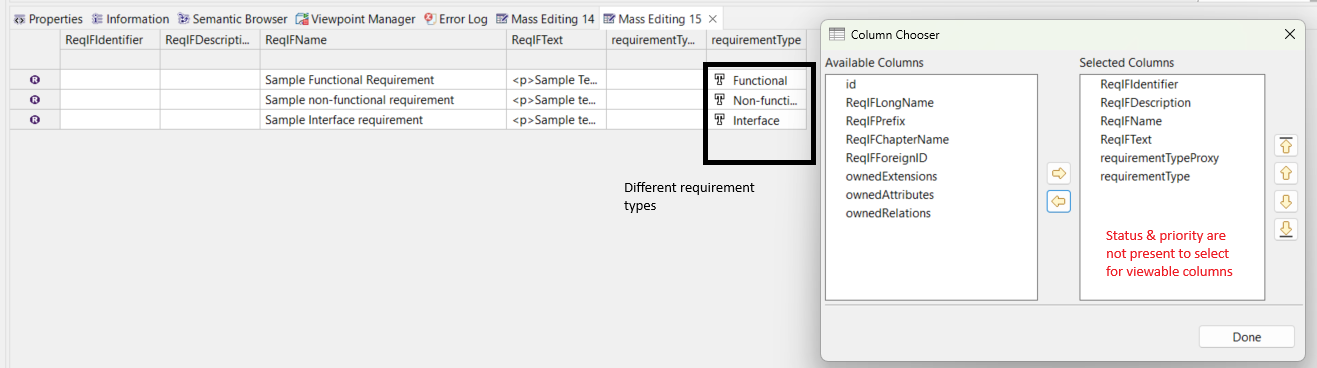
I have observed that when I send multiple requirements (belonging to different requirement types - for eg., some are functional and some are non-functional) my new attributes Status and Priority do not appear in columns.
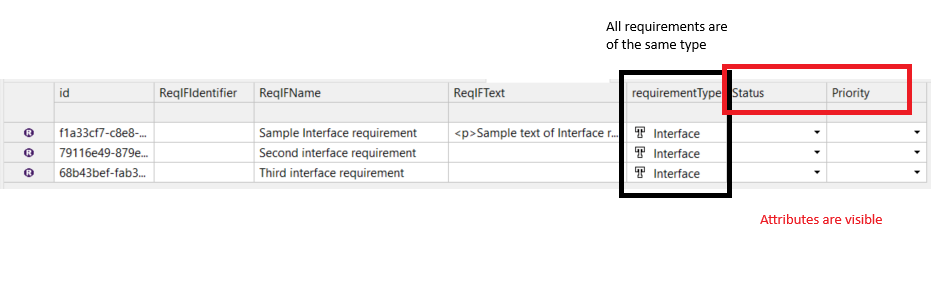
However if all requirements are of the same type (eg., all are interface requirements) then these columns appear.
Is this intended behaviour/ bug or am I missing something?
More details on my structure for context if needed
Maybe a bug or a limitation. The table will indeed allow displaying a given column only if this “attribute” is shared among all the items displayed on the lines. Your 3 requirement types have the same attributes, but only by their names, and the table view does not rely only on names, there should be actual inheritance of these attributes. There is a technical explanation behind this, I could go down this path but not sure this is really relevant for you.
The workaround for you is probably to go on the semantic browser and active the “R” icon as on this image. This will change the behaviour of your table as well, and you should see your attributes properly:
Thank you @StephaneLacrampe for your response.
Unfortunately, activating the R icon on semantic browser did not change the behaviour of the mass edit table (i.e. I still dont see my attributes).
The 3 requirement types have the same attributes by name and are also linked to the same underlying datatype. Does that count as inheritance as you mentioned above, or is it something more complex?
On a related note, if I had to mass edit the attributes across different requirement types, what would you recommend as a straightforward method?
Oh right, my mistake, what I did worked for the mass visualization table but I think the mass editing table is a little bit more strict.
No it does not count as inheritance. For it to count as inheritance, you would need to be able to define a superType that has the status and priority attribute, and then your 3 sub-types would be subclassed by the supertype, thus inheriting the same attribute from the supertype. But the Requirement Viewpoint does not support that. This viewpoint was initially created to support requirement imports from Doors, not as a “requirement management add-on for Capella, hence its limitations.
So, here are some options/workaround I see:
-
Only do your “mass edition” putting only requirements of the same type in your mass editing table - you can open one mass editing table for each types of requirement
-
Create only one Requirement Type and add your 2 attribute, plus a third one: “Type”
-
Use Python4Capella to mass edit your values (not ideal for a typical user…)
-
Fund an evolution on the add-on to support your use case (or an evolution on the mass editing table)
Stephane
1 Like
If you need to manage hundreds or thousands of requirements, I’d recommend doing that in a fully fledged RM tool like DOORS or ReqView that can export Capella-compatible ReqIF and you can iteratively update the reqs in Capella to keep the model in sync.
1 Like
Thank you @StephaneLacrampe for clarifying the distinction between “supporting requirement import” vs being a full “requirement management add-on”. I had inadvertently assumed it was the latter.
1 Like