Importing logical components created with Python4Capella into a LAB diagram

Hello,

I’m using Python4Capella on Capella 7.0 and I’ve created a script in a Capella project named “Projet”.
I’m trying to automatically create logical components for my diagrams.
With my script, I manage to create two logical components, COMP1 and COMP2, in the Logical System, but I’m facing an issue. When I try to import them into my LAB diagrams, they don’t appear in the list of Components to import, as if they didn’t exist.
However, they do appear in the Logical System tree in the Project Explorer.

Do you have a solution to this problem?

I’m sharing my code in two ways: as a screenshot and as a copy-paste.
Thank you in advance.

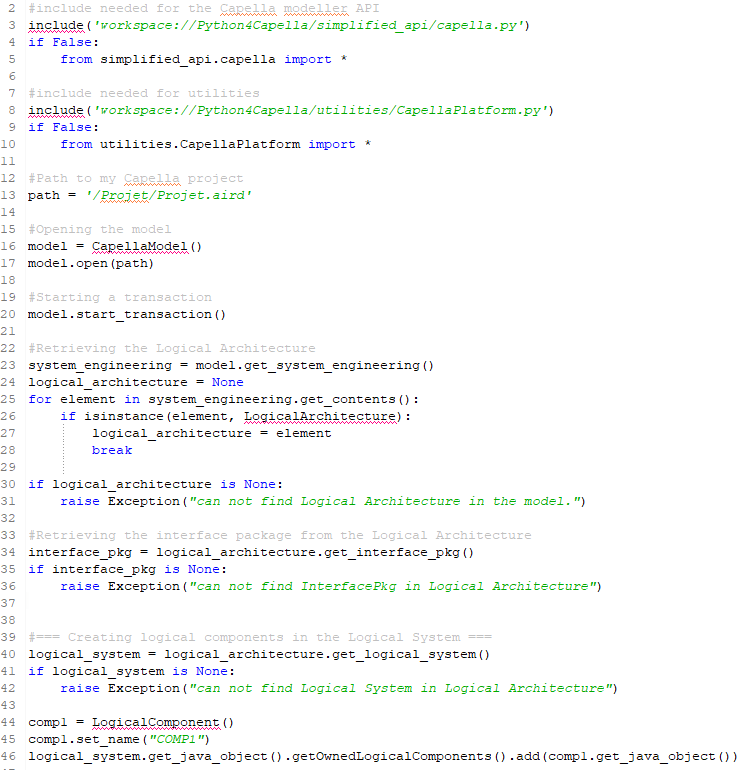
My script :

#include needed for the Capella modeller API
include(‘workspace://Python4Capella/simplified_api/capella.py’)
if False:
from simplified_api.capella import *

#include needed for utilities
include(‘workspace://Python4Capella/utilities/CapellaPlatform.py’)
if False:
from utilities.CapellaPlatform import *

#Path to my Capella project
path = ‘/Projet/Projet.aird’

#Opening the model
model = CapellaModel()
model.open(path)

#Starting a transaction
model.start_transaction()

#Retrieving the Logical Architecture
system_engineering = model.get_system_engineering()
logical_architecture = None
for element in system_engineering.get_contents():
if isinstance(element, LogicalArchitecture):
logical_architecture = element
break

if logical_architecture is None:
raise Exception(“can not find Logical Architecture in the model.”)

#Retrieving the interface package from the Logical Architecture
interface_pkg = logical_architecture.get_interface_pkg()
if interface_pkg is None:
raise Exception(“can not find InterfacePkg in Logical Architecture”)

#=== Creating logical components in the Logical System ===
logical_system = logical_architecture.get_logical_system()
if logical_system is None:
raise Exception(“can not find Logical System in Logical Architecture”)

comp1 = LogicalComponent()
comp1.set_name(“COMP1”)
logical_system.get_java_object().getOwnedLogicalComponents().add(comp1.get_java_object())

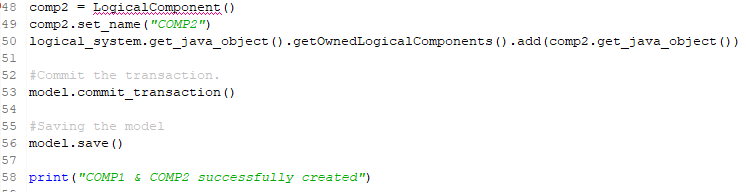
comp2 = LogicalComponent()
comp2.set_name(“COMP2”)
logical_system.get_java_object().getOwnedLogicalComponents().add(comp2.get_java_object())

#Commit the transaction.
model.commit_transaction()

#Saving the model
model.save()

print(“COMP1 & COMP2 successfully created”)
When you create a Component in Capella, Capella creates the component and its Part. The Part object is referenced in the LAB diagram. There is a Java method you can call to make sure your CapellaElement (your LogicalComponent) is attached in the same way (in this case create the Part object) in your script:

# this attach the new Component to the Capella model
logical_system.get_java_object().getOwnedLogicalComponents().add(comp1.get_java_object())
# replicate the Capella behavior, this will create the Component Part
org.polarsys.capella.core.model.helpers.CapellaElementExt.creationService(comp1.get_java_object())
# set attributes of the Component
comp1.set_name(“COMP1”)

This should solve your issue. You will probably see an error on the org identifier, you can solve it by configuring your PyDev editor. In this case add the org identifier.

Thank you for your response! It works well. I’m now trying to create a Component Exchange between the two logical components, but I don’t know which functions I should actually use. My goal is then to automatically create, via Python, a function allocated to each component as well as Functional Exchanges. Do you have any idea how to achieve this?

After creating the logical components, I wrote the following code:

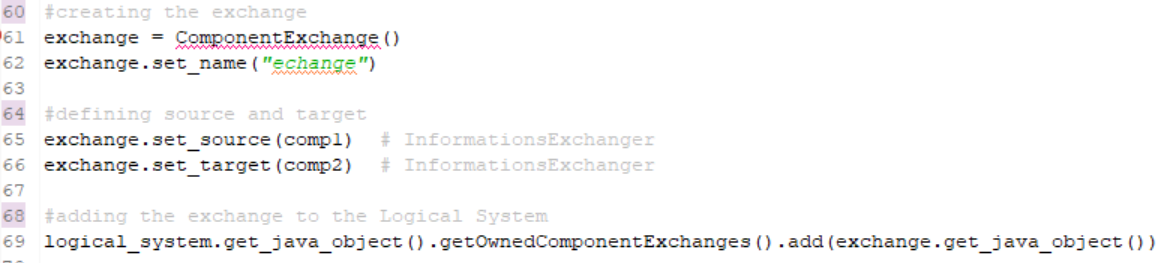
#creating the exchange
exchange = ComponentExchange()
exchange.set_name(“echange”)

#defining source and target
exchange.set_source(comp1) # InformationsExchanger
exchange.set_target(comp2) # InformationsExchanger

#adding the exchange to the Logical System
logical_system.get_java_object().getOwnedComponentExchanges().add(exchange.get_java_object())

However, the console returns the following error:

Do you have any idea which functions I should use to create the Component Exchange?

Thank you for your help.

There is no Python API to set the source nor the target, you need to use th Java API:

cp1 = ComponentPort()
cp1.set_name('port1')

lc1 = LogicalComponent()
lc1.set_name('lc1')
lc1.get_owned_features().append(cp1)

cp2 = ComponentPort()
cp2.set_name('port2')

lc2 = LogicalComponent()
lc2.set_name('lc1')
lc2.get_owned_features().append(cp2)

ce = ComponentExchange()
ce.get_java_object().setSource(cp1.get_java_object())
ce.get_java_object().setTarget(cp2.get_java_object())

# add the ComponentExchange to the LogicalComponent/LogicalSystem containing lc1 and lc2 (common ancestor)
containing_lc.get_java_object().getOwnedComponentExchanges().add(ce.get_java_object())

PS: the ComponentExchange Java code is here.

Thank you for your response. It works, but I had to adapt the script so that the ports and the Component Exchange appear, because only the logical components were being created.

1 Like