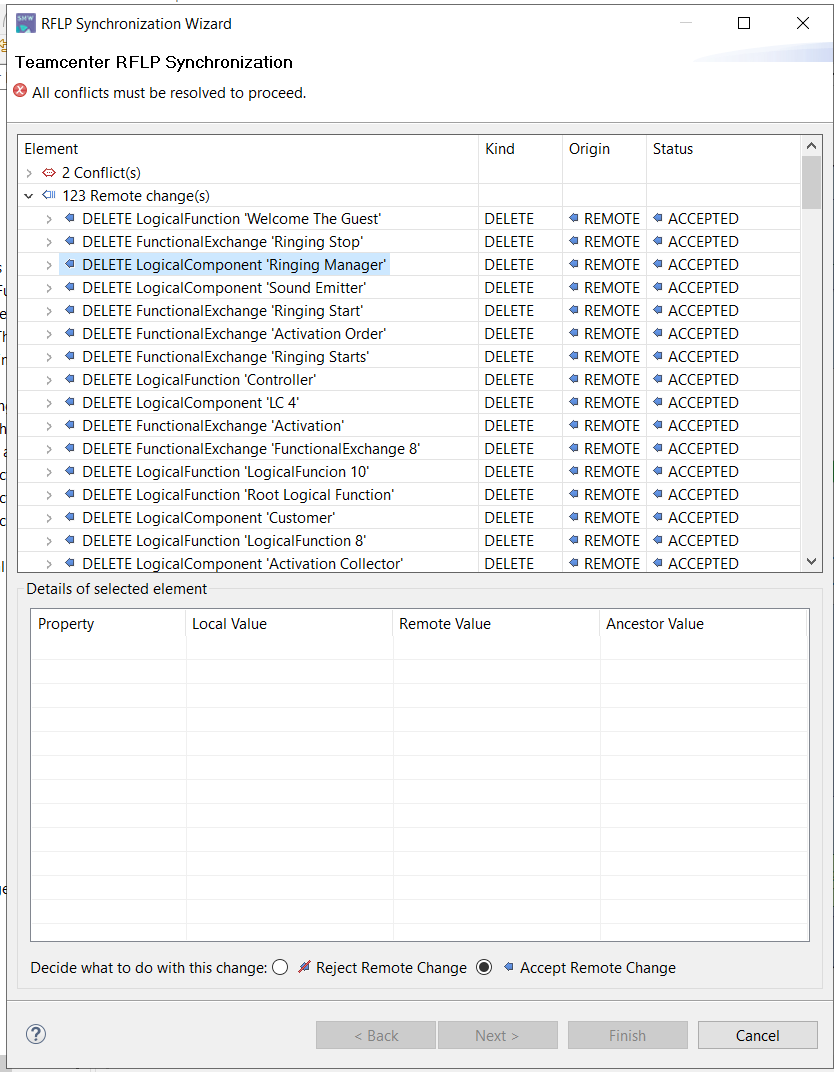
How to avoid this popup in capella (SMW)

This is capella integration with Siemens Teamcenter, I have made some changes in SYSML_BHMIntegrationDefinition.xml file

  1. type=“LogicalComponent” tctype=“Sys0LogicalComp” To type=“LogicalComponent” tctype=“Fnd0LogicalBlock”

  2. Changed type= “Logical function” tctype=“Sys0LogicalFunc” To ype= “Logicalfunction” tctype=“Functionality”

So , basically whenever I make any changes in Logical architecture diagram (LAB) and click on ‘synchronize with Teamcenter’ it shows this popup , I dont want this popup to show , how to avoid this?

Hello,

SMW is a commercial product and the Capella forum is not the place for support on this product. Please go through either your Siemens contact or contact Obeo for dedicated professional support.

Please note that SMW 5.1.0 is more than 5 years old and was working with different sets of Teamcenter APIs than the current versions. This particular use case was not supported and would need to be retested using a recent SMW against a recent Teamcenter server.

Laurent Goubet
Obeo