How do you resolve the issue when an Operational Process or Functional Chain is incomplete? It’s not clear to me what this means and from the [OPD] (Operational Process Description) I don’t see what the issue is; it’s a single connected tree.
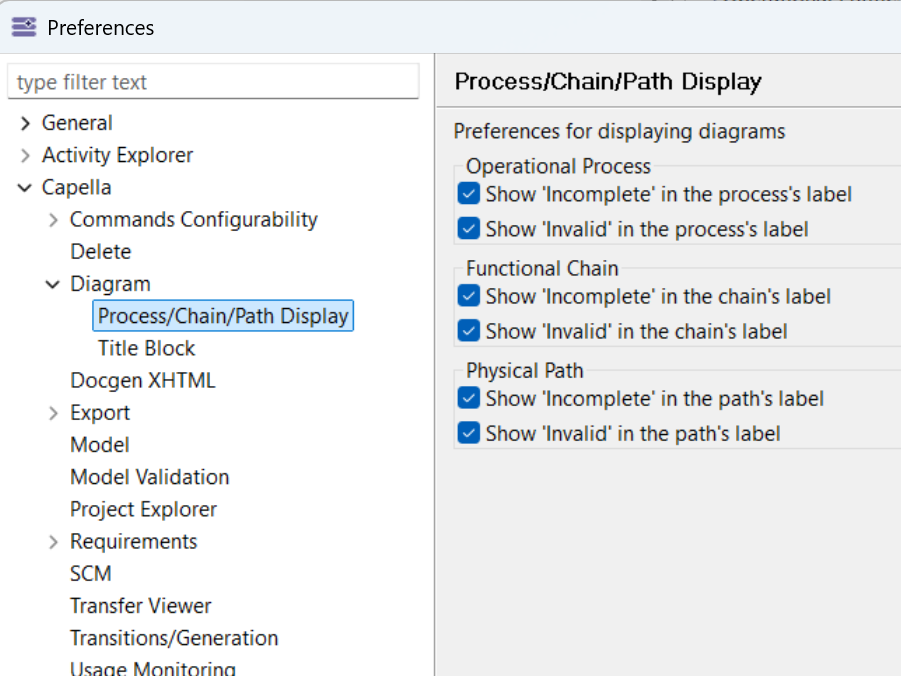
As shown:

This is set from Window > Preferences:
The “Incomplete” and “Invalid” statuses on a Functional Chain are two distinct conditions.
Invalid means there is a broken continuity in the chain’s path. This typically happens when a Functional Exchange that was part of the chain is deleted from the model, leaving a gap between two involvement nodes. Capella detects that a FunctionalChainInvolvementLink no longer has a valid next/previous involvement.
Incomplete is a different situation: the chain is not broken, but it doesn’t satisfy Arcadia’s structural constraint that a Functional Chain must form a single linear path with exactly one start and one end. Concretely, this is triggered when:
- The chain has multiple entry or exit points (a fork), violating the single-branch constraint. Capella expects a chain, not a tree.
- The chain was created or edited manually in the model (rather than by selecting Functional Exchanges on a dataflow diagram), and some involvements are not properly connected to their neighbors — the chain isn’t broken but topologically ambiguous, without clear start/end nodes
To investigate: open/create a Functional Chain Description diagram and check whether you have more than one starting node or more than one ending node. If so, you may need to split it into separate chains.
4 Likes