Hi, I’d like to allow users to easily navigate the system model in an intuitive way. I’m thinking that the maximum intuitiveness might be the capability for users to double click on any object to “zoom” into a lower level diagram (Everyone tries that and is disappointed that this doesn’t happen out of the box)… or a single picture like as follows, where a user could zoom in on any of the layers.
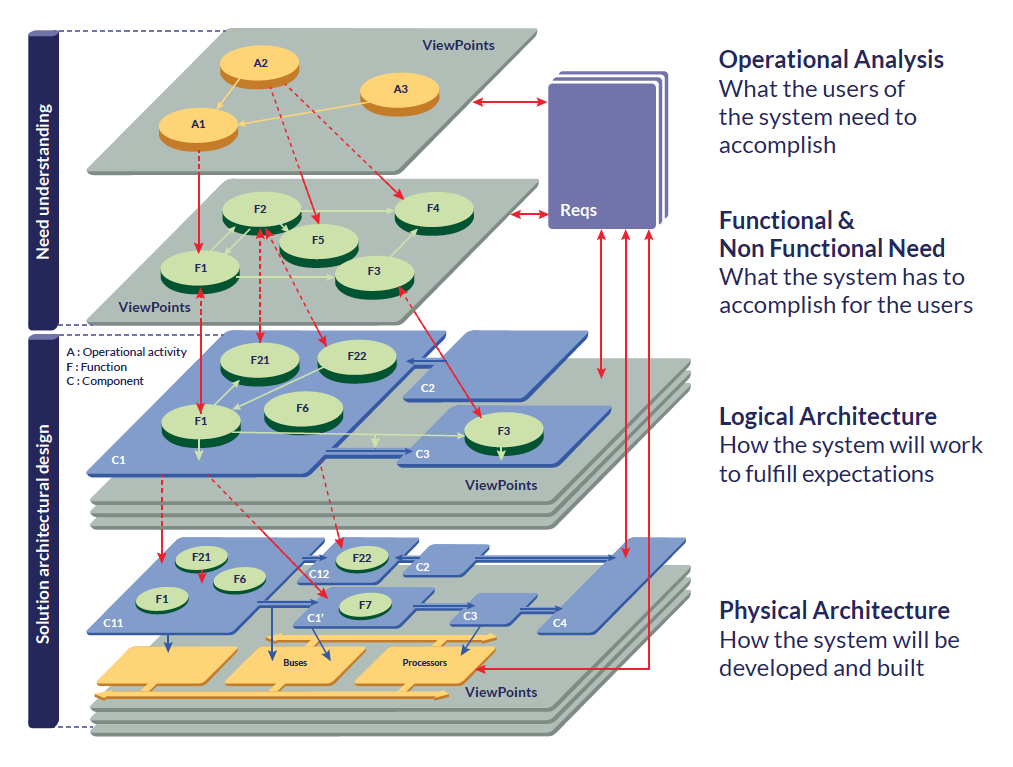
HTML Export
I’m using HTML export, pushed to Bitbucket, which is then shared on our local network. However, nobody likes clicking aimlessly around on random objects.
A Menu Page
I had a ‘Menu’ page for each ARCADIA phase, created with some random diagram type. On the menu page I used Constraint objects to show an image thumbnail for each diagram. Above the thumbnail, I used a Representation Link with the diagram title. Nice, but it takes some work to maintain, and to not get the red “IMAGE NOT FOUND” things.
Little Representation Links
I tried adding representation links to objects. As notes, they are too intrusive. So I find it’s better to make them small squares.
I notice when we create a contextual diagram from an object, it adds a little symbol in the bottom-right corner which suggests that object has ‘lower level’ contextual views. I can add a Representation Link, and make it small, and put it in the bottom-right corner. That seems to look okay but it has its own symbol, and can’t usually get it to overlap exactly with the existing symbol, so it looks a bit wrong.
Guided Tours
Now thinking about using coloured Representation Links to instead provide a few specific “guided tours”, e.g. Red ones will be for Mechanical Engineers, and Yellow ones for Electrical Engineers, Green for Software Engineers or whatever. Still, messy, will take a little thought, and doesn’t look great when exported to a document.
Stakeholders in the Title Block
I’ve added Title Block and wrote in the stakeholders in plain-text. It’s useful to know who the view is aimed at. However it doesn’t help with searchability for them.
What system do you use for making a model more easily navigable? Got any screenshots?