First, you need to make sure that you have activated the reuse of components in the preference window (the documentation does not show it activated, make sure you activate it) and then, as explained in the documentation, make sure you also activate the option when creating a new Capella project.
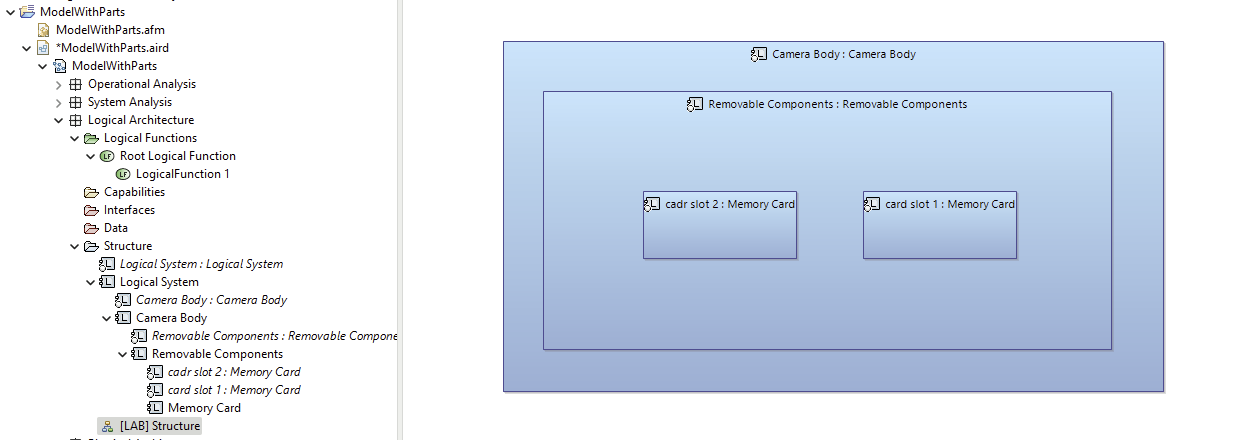
Once you’ve done that, you should have the names that are displayed correctly in the diagrams (Part Name : Bloc Name).
Now, when creating objects, you can change names by selecting either the bloc or the parts in the project explorer view, but for that, you need to make sure you made the parts visible by going to the filter options:
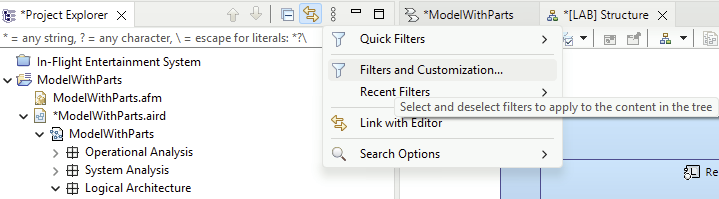
and then make sure to UNselect the parts:
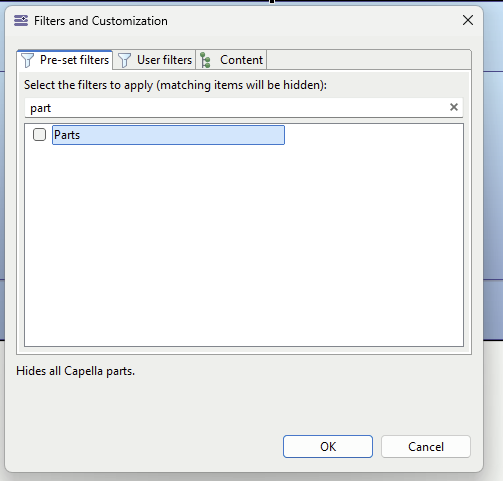
Now when creating elements, here is how it works:
- if you use the typical tool in the palette, it is going to create both the part and the bloc:
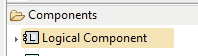
- you may change this tool for creating additional parts to the same bloc only by clicking on the small arrow in the left of “Logical Component” and choose “Reuse Logical Component”
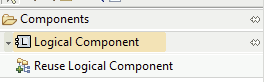
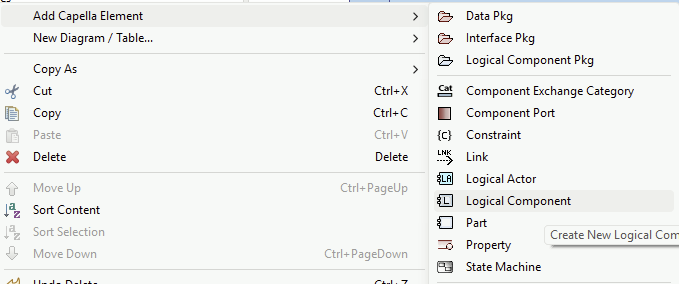
- or you may create parts directly from the project explorer view (right click on the containing Logical Component) and type them with blocs going in the property view:
Result:
I am using Capella 7.0.
I hope this helps.
Stephane