Hello,
I have two models, and I want all elements from one model to exist in the other one.
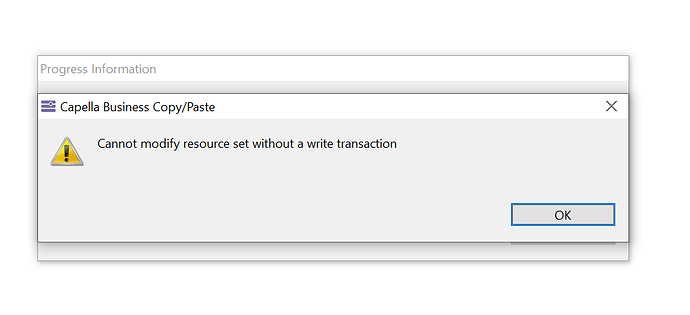
So far, I tried putting both models in the same workspace. Copying and pasting one model to another doesn’t work. I get the following error:
Is there a way to quickly tranfer elements from one model to another?
Thank you.
Kind regards,
Matthieu
I used the EMF Diff/Merge tool and exploited the EMF Diff/Merge Guide.
When comparing models, I chose the “Transfer of elements between models created independently”.
Elements on the first model now exist in the other model. However, no diagram has been transferred. How to transfer diagrams from one model to another?
Thank you.
Kind regards,
Matthieu
diff merge on the .aird file I suppose?
Hello,
Thank you for your feedback.
The two models I am trying to merge were created independently.
I can merge the models so that the elements from one model get imported to the other one. However, the diagrams do not consistently get imported.
Here are the steps to reproduce:
- Create two models (with one containing elements and diagrams to export to the other model)
- Close all projects
- Select the .aird files and: Compare with > Each other as models
- Configure to “Transfer of elements between models created independently”
- Select all elements to be copied from the one model to the other one
- Save Diff/merge, close window
- Open model, elements copied but not the diagrams
I once successfully imported the diagrams on to some dummy Capella project I created to test the Diff/merge tool. But I couldn’t reproduce that since then.
How to export both the elements and the diagrams of one model into another model?
Thank you.
Best regards,
Matthieu
Hum. not sure what the right thing to do here as I am not used to use these diff-merge tools with Capella. Maybe someone else can jump in and help here.