Hello all,
I am new to the Capella and trying to get my hands on the tool. I have made some progress in understanding all the components and started to outline my architecture in the tool.
I have a question for a usability perspective
When I allocate/ add exchanged items in functional exchanges, I can only see the name of these exchanged items, but I can not directly open these items, so I search for these in the interface package.
The problem is now I have many exchange items with similar names(little differences) and it gets confusing to get to the right exchange items very quickly.
Is there a way to make these items clickable in the property window? so that I can directly jump to the items which are allocated.
Thanks in advance
A couple of options here:
- When selecting a functional exchange, in the semantic browser view, you should be able to see the allocated functional items
- in the diagram top toolbar (when no elements are selected), you should be able to change the filters so as to display the functional items on your functional exchanges
Stephane
thanks @StephaneLacrampe . I think the semantic view will work for me.
Just to clarify if I show the items on exchanges, I can not open it from the diagram right? or I am missing any selection in tool.
Now I can view the exchange items on function exchnages but to modify I have to go via semantic view (which is much easiar than finding it in project window , thanks for pointing it)
I agree, you cannot open it from the diagram. Unless you mannually create a navigation link to your CDB diagram:
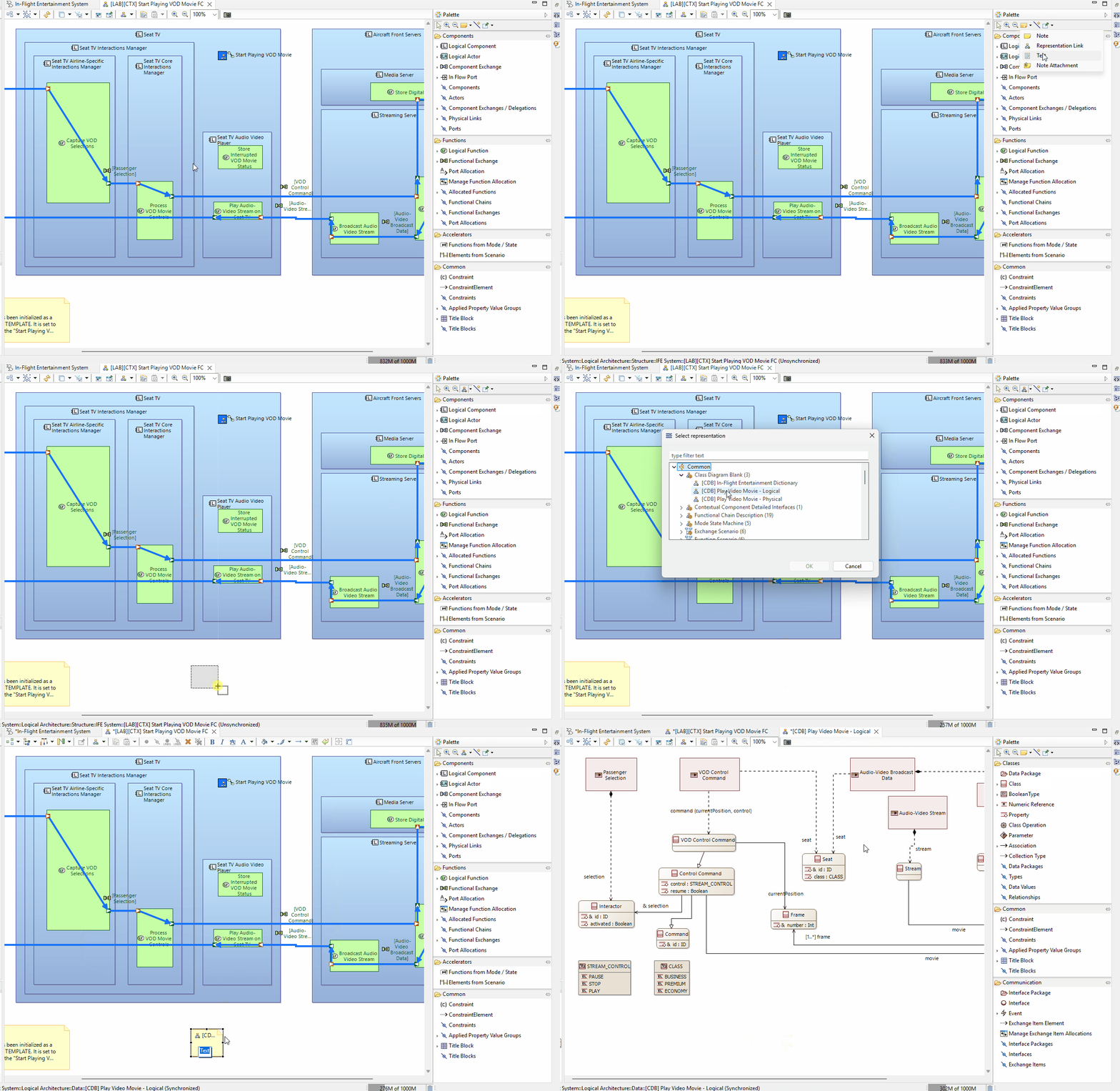
2 Likes
Ohh wow, that solves not only this but many other hickups. @StephaneLacrampe Thanks for taking the time and showing it.
1 Like