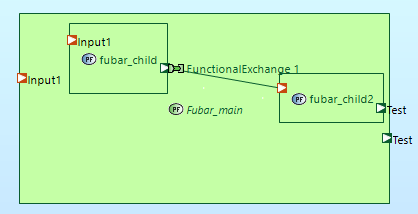
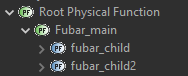
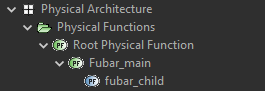
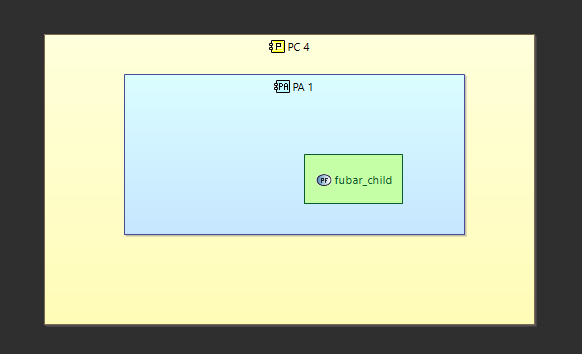
Is it intentional you cannot drag a “parent physical function” (Fubar_main in my example) to a PAB diagram? Seems like only the fubar_child can be visualized in such diagrams.
This seems a bit counterintuitive to me? Would rather visualize the “parent” and breakdown the function somewhere else in e.g. PDFB diagram
(D&Droping functions on components means allocating them to components)
A general Arcadia rule is that, in a finalized architecture, only leaf functions should be allocated to components. Non leaf functions are just grouping function, they are abstract.
While you are building a model, you may have at some point a function allocated to a component. Then if you create a sub-function to this (now become) mother function, your architecture becomes “non valid” until you have removed the allocation of the mother function to the component.
So in your case, as you already have a child function, the tool is preventing you to allocate a mother function to a component.
Now I understand your need, which is that you want to still be able to build higher level views where you can see the mother functions on the components rather than the leaves one. This is totally supported in Capella, and one of the strengths of Capella: Not only you are able to do it, but Capella will also calculate and display automatically functional exchanges between higher level functions based on the actual exchanges on the lower leaves functions (since another Arcadia rule is that, in a finalized architecture, only leaf functions should have exchanges, for the same reason as before. As a consequence, you do not have to maintain exchanges between higher level functions as they do not have a physical existence). See here in the doc to see how it works: Capella Guide > User Manual > Diagram Management > Allocating Functions on Components
About conterintuitiveness: I see your point. But back to the first point: D&Dropping is not about “visualizing”, it is actually allocating the function to the component. You may ask yourself: ok fine, so maybe the tool should allocate autmatically all the leaf functions to the component where the mother function is dropped, and display only the mother function. Sounds like a nice feature. But then, your mother function may have dozens, or hundreds of sub-functions with multiple levels. That would be quite a strech for the tooling to assume that by doing so, you want to allocate all the sub-functions to the component.
Thanks for the detailed explanation, very helpful.
Seems like playing with the allocated functions did indeed the trick.
Maybe I’m misusing the tool a bit, but seems like visualizing both on one diagram is also feasible :). Ports and portnames are inherently kept consistent between function and subfunction , nice.
How did you manage to show the port with same name on parent, In my case if I move the ports to child function - then they are not visible on the parent function .
if I use only parent function then it is visible.
Did you play with any settings?
Just saying that a mother function, in a finalized Arcadia/Capella model, should not have any ports and exchanges. Mother functions are grouping functions, they are abstracts, they are not supposed to exist in reality.
Now you are free to use Capella and Arcadia in a different way of course.
No special settings, visualizing parent (as described above) and dragging the childs on the PAB diagram (first dragging to the blue than to the green). If I add a port to the child, it gets automatically added to the parent. or if I drag a port from parent to child, it just gets “duplicated”.
 , nice.