Hello,
Capella 7.1.0 has been released.
Discover all new interesting features in the dedicated page (Release Notes)
Capella 7.1.0 is available for download on the Capella website
Best regards,
Erwann
The requirements viewpoint cannot be installed.
Solved it. Decencies were missing in my installation
Hi, how did you do it? And which problems did you have? I have been trying to install it for Capella 7.1.0 but I can’t seem to make it right…
On the update site of requirements viewpoint there are three extensions you need to download and install first. After this you can install the requirements viewpoint. If the update site does not work, use the drop-in.
Thanks for the reply! But how do I install those extensions? They redirect me to a page with some directories and files but then I don’t really know how to correctly install them…
Add the dependency p2 repository URLs directly under Help Install New Software or unpack zip drop-ins into your Capella dropins folder
Download the top “folder”
Hey, thanks for your replies! When I try to add the URLs after clicking in Help>Install New Software I get this error message:
"Unable to read repository at Eclipse software repository | The Eclipse Foundation
(certificate_unknown) PKIX path building failed: sun.security.provider.certpath.SunCertPathBuilderException: unable to find valid certification path to requested target"
Do you know how to fix it?
Also, how do I download the top “folder”? I only see the icon to download the files at their lowest levels.
If the online p2 repository fails due to Java truststore restrictions, downloading the offline update site zip file and adding it via Help > Install New Software > Add > Archive bypasses SSL checks completely
Hi there,
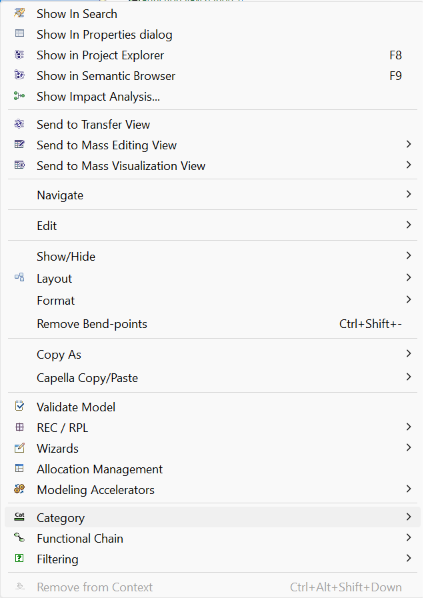
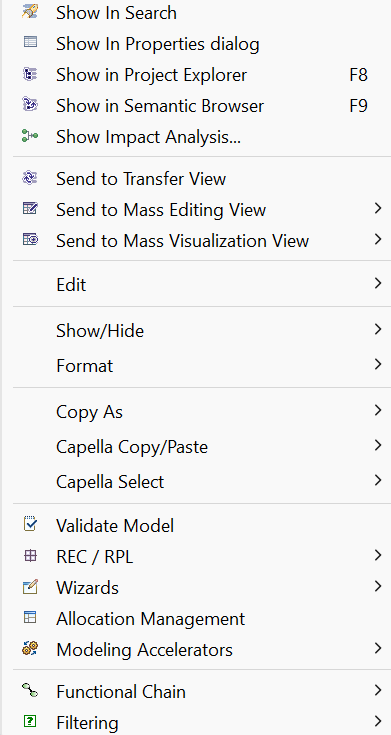
I’ve noticed that the Category option appears to be missing from the right-click context menu on diagrams in Capella 7.1.0.
I’ve attached screenshots comparing the context menu’s.
Has this functionality been removed, or has it been relocated somewhere else?
Thanks
Jack
Capella 7.0.1:
Capella 7.1.0:
Hello,
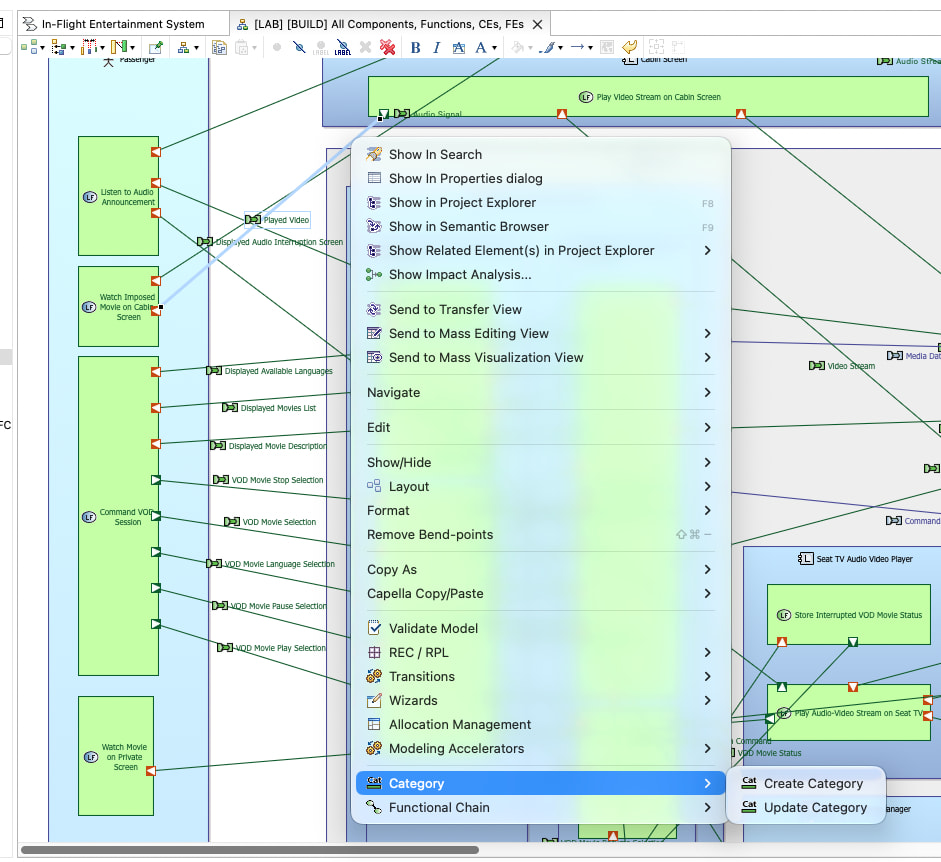
Your screenshot for 7.0.1 looks like it has been taken for an edge selection (the “Remove Bend-points” action is also missing in addition to the “category” item). Right-clicking a component exchange in 7.1.0 does show the “Category” item.
Could you confirm what you are right-clicking in both cases ?
Laurent Goubet
Obeo
Hi Jack,
Thanks for reporting this. I can confirm it is a regression in 7.1.0, and it only affects functional exchanges: the “Categories” menu is still there on component exchanges and physical links.
Until a fix is released, you can still manage categories of functional exchanges without this menu:
create a category from the Project Explorer: right-click on the function package, then “Add Capella Element” > “Exchange Category”;
then open the Properties of the category (or of a functional exchange) to choose its exchanges (or its categories).
I opened an issue on GitHub : "Categories" contextual menu missing on functional exchanges in diagrams (regression in 7.1.0) · Issue #3130 · eclipse-capella/capella · GitHub
Stéphane
Hi Jack, Stephane,
On a new nightly build for 7.1.x, Category menu is back with Stephane’s accepted fix.
We are currently evaluating the respin / rebuilt of 7.1.1 to include this fix +move to JVM with Java4shell fix
Hello Maxime,
thank you for that ! Any idea when it will be available ? And how to get this fix ?
Thank you,
Pierre
Hi @PierreBesson , v7.1.1 release has been replaced.
https://github.com/eclipse-capella/capella/releases/tag/v7.1.1 is up to date.
This new 7.1.1 version is now available directly from the Capella website download page.