Greetings everyone,
Capella 7.1 provides new optional features to layout diagrams.
Using ELK (Eclipse Layout Kernel) library, many diagrams can benefit from different strategies to arrange elements automatically.
Those strategies are described in Capella Wiki and embedded documentation once deployed.
See ELK page in Github.
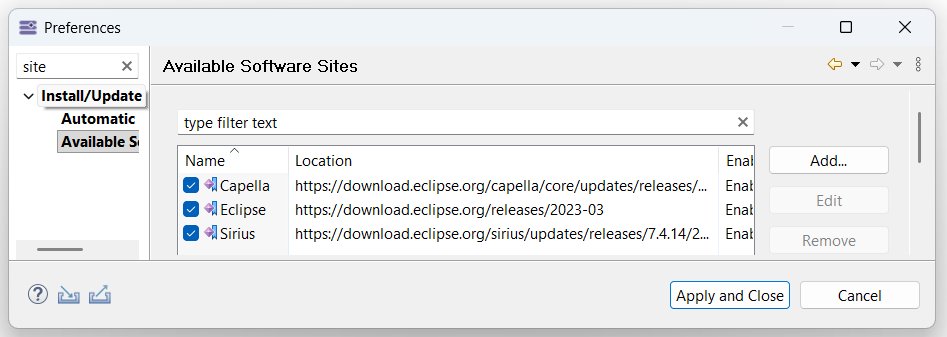
To deploy this optional feature, you first need to declare software repositories in the “Window > Preferences” of your installation for additional features:
Capella
https://download.eclipse.org/capella/core/updates/releases/7.1.0/org.polarsys.capella.rcp.site/
Eclipse Release
https://download.eclipse.org/releases/2023-03/
Sirius Release
https://download.eclipse.org/sirius/updates/releases/7.4.14/2023-03/
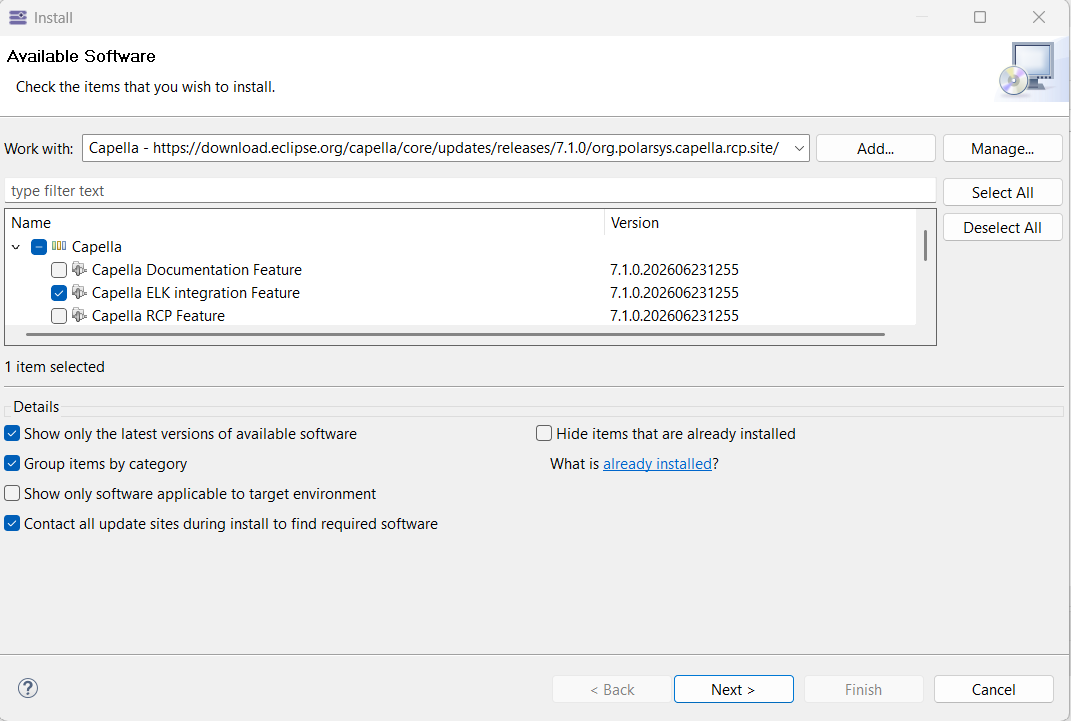
Then, in “Help > Install New Software…” wizard, selected “Capella ELK integration Feature” from “Capella” site and proceed with the installation.
Once installation is complete, for each Capella diagram, you can now indicate how to lay out elements in “Rules & Grid” tab of “Properties” view when using “Layout…” actions.
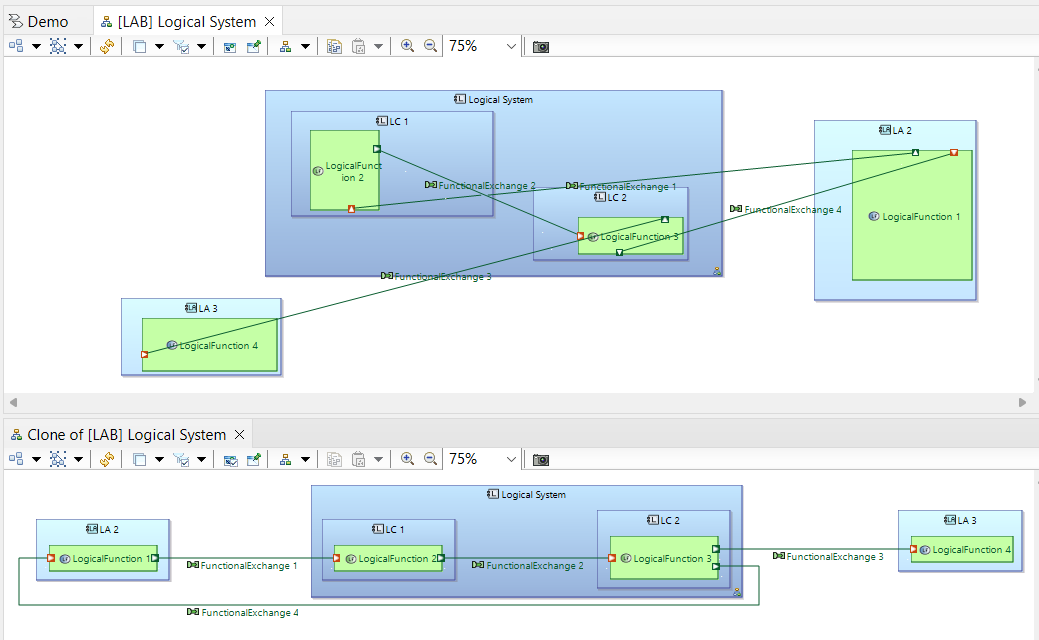
Keep in mind that ELK algorithm must be able to freely move elements. When using, you should disable “Snap to Grid” and “Snap to Shapes” in “Rules & Grid” of the diagram for better results.
Nicolas.