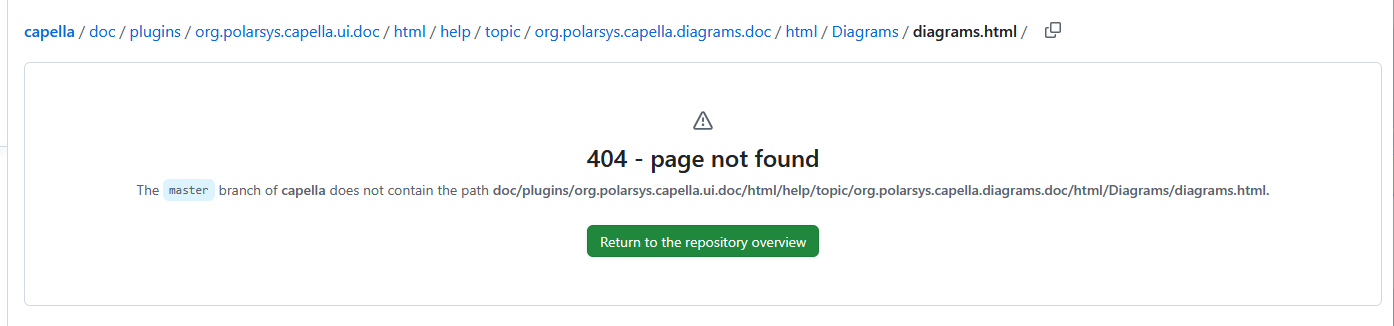
1) multiple OEBD possible 2) operational process OPD missing

Hi dear capella community,

my name is Tobias and a Capella newbie. I am using Capella 7.0.1 on a windows 11 machine. For for trial and error learning, I follow the tutorias:

Capella Operational Analysis practical example » Hélder Castro and

I’ve two questions. 1st. I can create multiple OEBD’s but there are always exactly the same actors and entities. Hence I conclude, a bigger project with lot of actors and entities may be a bit overcroweded shown in the OEBD?
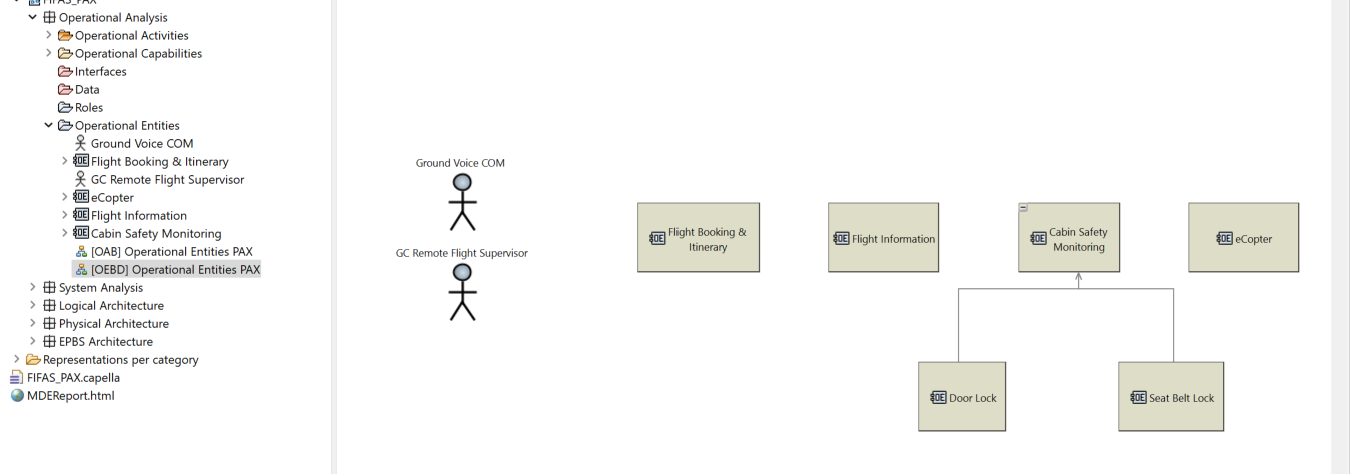
Creating a new OEBD in the same project is basically a clone of the first.
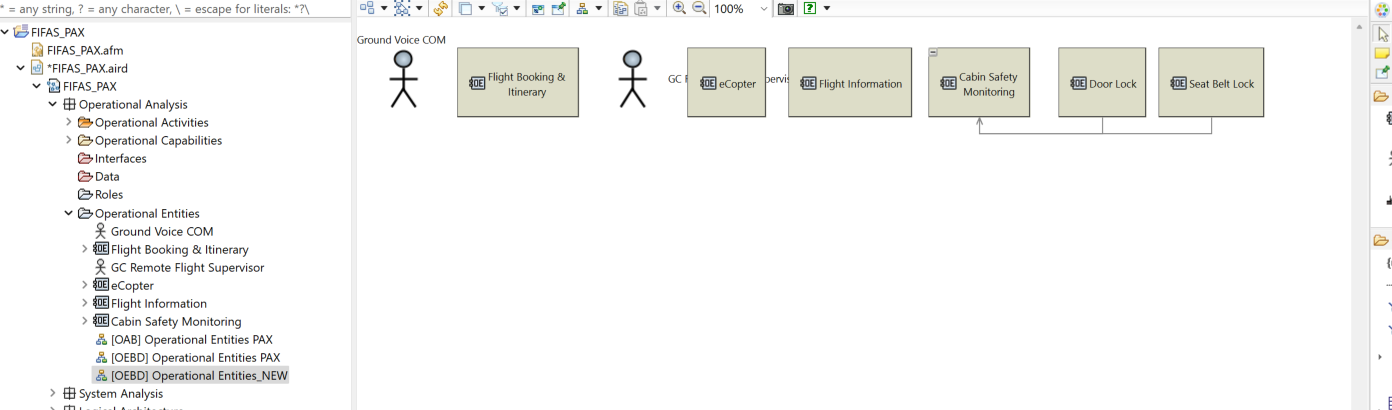
Any change in any of the two results in exactly the same in the other.

Is this correct and desired? If yes, then I assume a project with many entities and actors has to be split up in several projects to not become “overcroweded” ?

The second question refers to the two tutorials and on creating an Operational Process (Toy catapult, Chapter 6 and in the other, “Describe Operational Capabilities with Operational Process”).

Both use as starting point the OAIB diagram. As example:
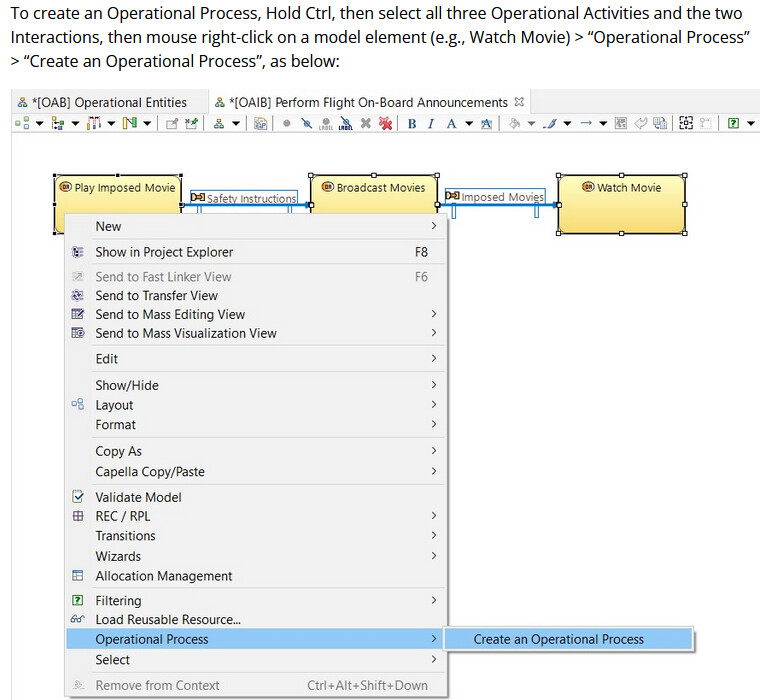
I’ve completed all steps and compared, but the option “Operational Process” does not appear in my dialog.

So far, I used the search function of this forum, checked the changelog for capella 7.0.1 and used the capella search function.

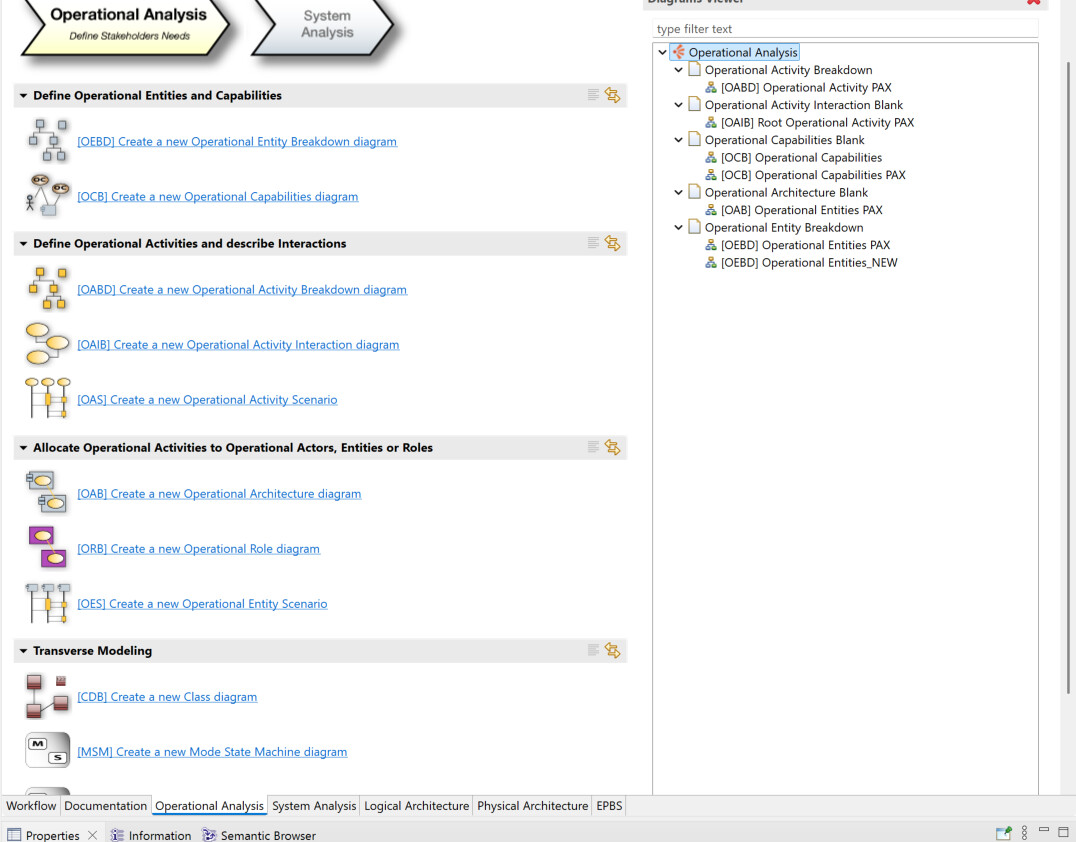
I can’t find it in the overview (OPD or similar):
But there seem to be some “residue” in the OIAB activity selection:
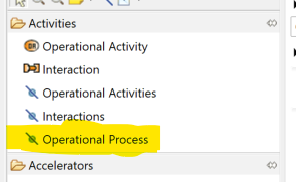
Has something changed or is the problem in front of the display?

Kind regards,

Tobias
Ok. Regarding 2) I checked also the wiki docs

Again here, some residues of “Operational Process….” but the link ends in a 404:

Hence, I conclude, my second quesiton is answered someone did not apply the ARCADE method correctly. Remains the first.

So, I have not checked for question 2), but for question 1):
You may want to read section “Capella Guide > User Manual > Diagram Management > Advanced Management of Diagrams” and “Capella Guide > User Manual > Diagram Management > Diagram concepts”.

In short:

  • First you’ll find in Capella blank diagrams and contextual diagrams, meaning that the blank ones are generally empty by default while the other ones are automatically populated by default
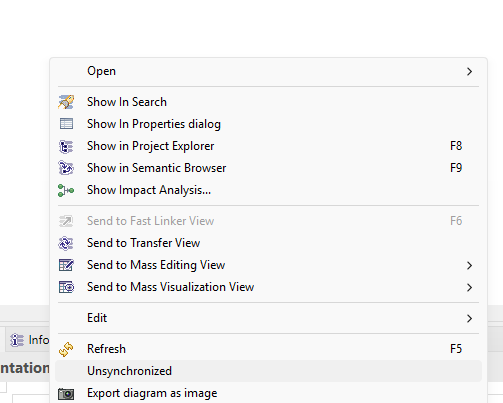
  • While Capella diagrams are generally synchronized by default, you can make them un-synchronized, meaning that it won’t be updated automatically if you add elements in your model. This will specifically answer your question (see image below)

Stephane

Thank you Stephane for answering question 1) - I will try it and give feedback.

Dear Stephane,
ok. I’ve read scrolled through the manuals and see the difference between “Conceptual” and “Blank” Diagrams. As it appears the in the guide mentioned strategy,

has not arrived yet on the OEBD diagrams. :smiley:

Also, I tried the sync/unsync option for conceptional diagrams [OEBD], but it seems to have no effect. It is always possible that it is my wrong doing.

For right now my conclusion is, that only one OEBD diagram at the time is useful, but the number of entries in projects with many actors/entities may result in a very croweded diagram.

Kind regards,

Tobias

Hi Tobias,

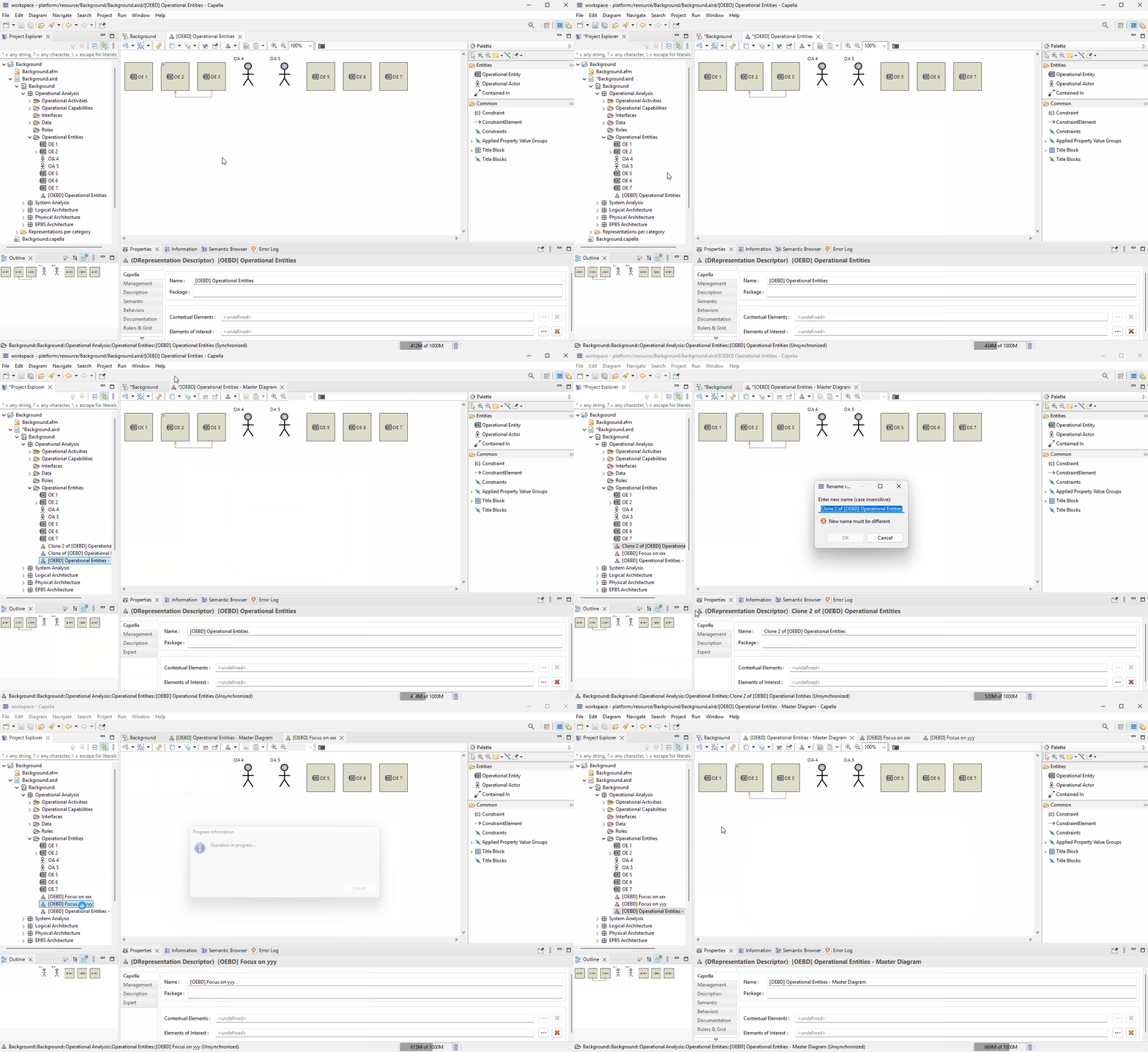
One strategy user would use in case of complex/large models is to have kind of a “master” diagram, where the modeler may have everything in one diagram to work efficiently. Then he would create more focused diagram by cling the master one, and then removing some specific elements from these diagrams - generally for communication purposes. For that the un-synchronized diagram helps. See the video below:

diagram mgmt

That is one strategy, there are others depending on your goals/needs.

Stephane

1 Like