Thank you Stephane.
I would like to share with community the code I have written to filter the components and subcomponents.
Create two StringPropertyValue elements:
Item = COMPONENT
Item = SUBCOMPONENT
Apply these elements to your components and subcomponents in Capella. In my case, I have applied them to physical elements, but the code can be also rewritten for logical ones.
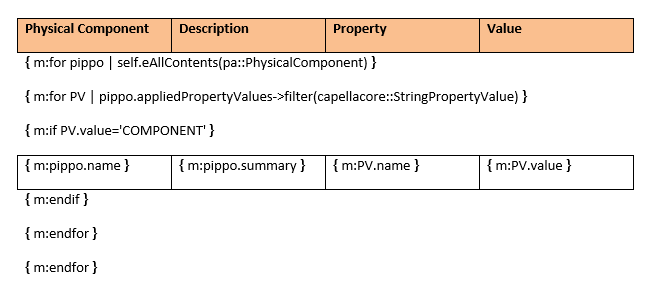
After that, in your word template, type:
When you generate your document, you will have a table with the list of all components to which you applied Item = COMPONENT as exstension property.
If you type , you will have the list of all subcomponents.
Let’s hope this code may be usefull.
Thank you a lot.
Bye.